> For the complete documentation index, see [llms.txt](https://docs.mvhq.io/llms.txt). Markdown versions of documentation pages are available by appending `.md` to page URLs; this page is available as [Markdown](https://docs.mvhq.io/for-users/missions/rewards.md).
# Rewards
## What Are Rewards?
Rewards are the incentives organizations provide for you to earn in return for your engagement with their [Missions](/for-users/missions.md).
MVHQ provides additional rewards to recognize your engagement on the [MVHQ App](https://app.mvhq.io/) via [MVHQ Credits](/usdhq/mvhq-credits.md).
Rewards can be found on the right half of the mission page.
## How Do I Earn Rewards?
You earn rewards from completing [Missions](/for-users/missions.md) and following the [Winner Next Steps](/for-users/missions/winner-next-steps.md) to claim your reward.
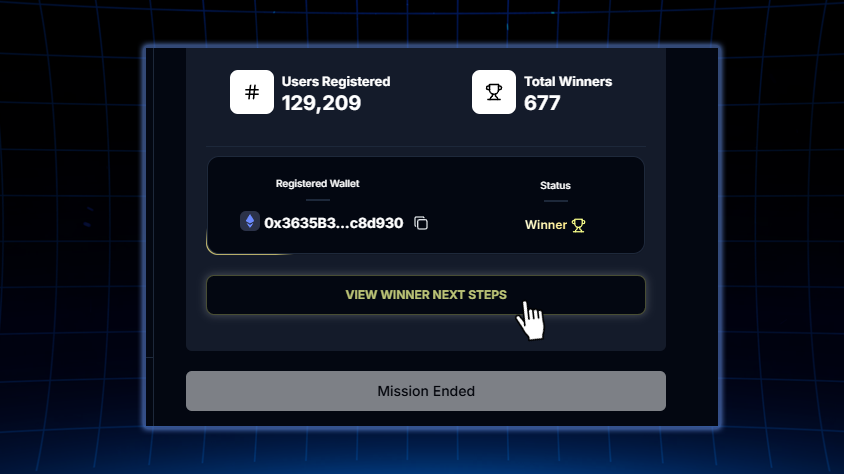
If you are selected you will see a "View Winner Next Steps" button.
## What Types Of Rewards Can I Earn?
You can earn a variety of rewards on the [MVHQ App](https://app.mvhq.io/), such as:
* [Cryptocurrencies](/for-teams/create-a-misison/rewards/cryptocurrencies.md)
* [Allowlists & Off-Chain Rewards](/for-teams/create-a-misison/rewards/allowlists-and-off-chain-rewards.md)(NFT mints, in-game skins, early access, discount codes, etc.)
* [NFTs](/for-teams/create-a-misison/rewards/nfts.md)
* [MVHQ Credits](/usdhq/mvhq-credits.md)
## How Do I Know When I've Won A Reward?
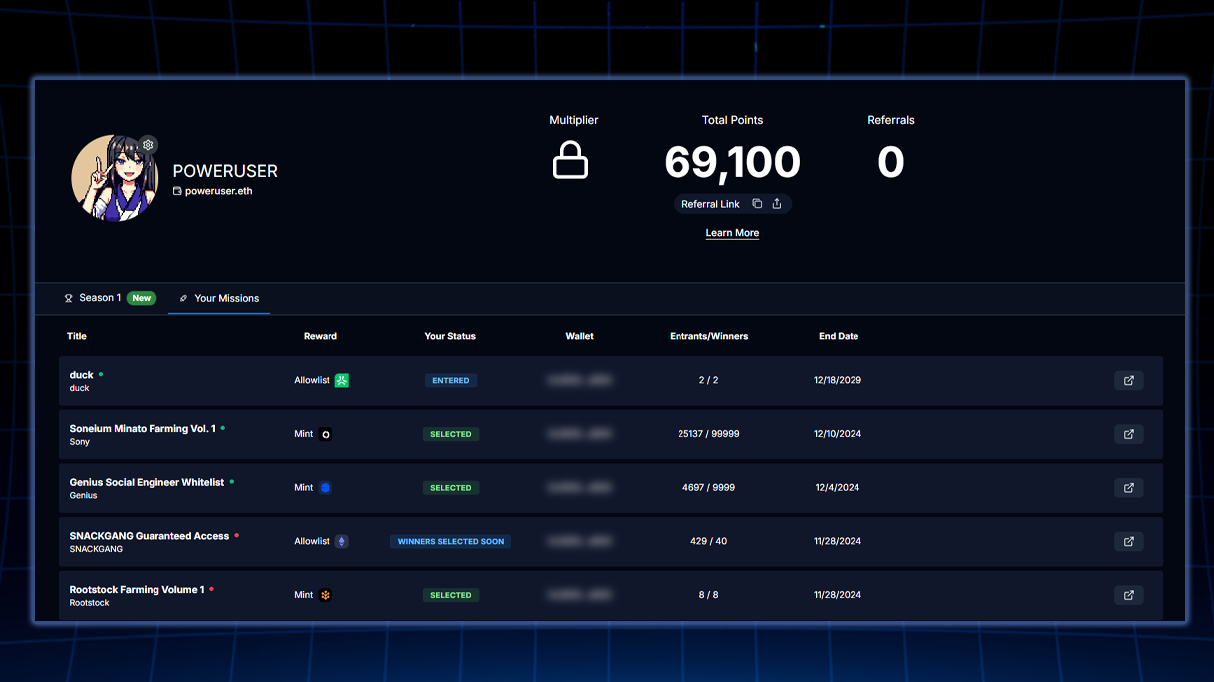
You can check if you've won a reward by checking your [Mission Statuses](/for-users/missions/mission-statuses.md) directly on the specific [Missions](/for-users/missions.md) page or for all the missions you've completed on your [User Dashboard](/for-users/user-dashboard.md) under the [Your Missions](/for-users/user-dashboard/your-missions.md) tab.
Click here to see a more detailed breakdown of your [User Dashboard](/for-users/user-dashboard.md)
## How Do I Claim My Rewards?
Once you have checked your [Mission Statuses](/for-users/missions/mission-statuses.md) and confirmed you have been selected as a winner, you can check the [Winner Next Steps](/for-users/missions/winner-next-steps.md) for more information on how to claim your reward.
{% hint style="warning" %}
For any issues with receiving your reward, contact the mission organizer directly. You can find their social links at the top of each mission.
{% endhint %}